dCloud
Log In
Log In
Cisco dCloud
Support
dCloud Help
Find Content that Supports Added Routers
Updating In Progress
February 2026
Steps
To find dCloud content that supports user-provided routers:
On the
dCloud
menu, click
Catalog
.
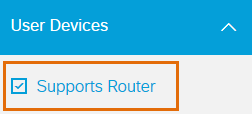
Go to the
User Devices
filter.
Check the
Supports Router
checkbox
Router Requirements
A router is required for content that uses IP phones or a device that does not support a Cisco AnyConnect VPN connection.
A router is not required to use the dCloud Remote Desktop client.
Each content documentation page specifies whether a router is required or optional.
Learn More
Routers - Frequently Asked Questions
Supported Routers and Endpoints
Get a Meraki MX Router for dCloud Use
Troubleshoot Meraki MX Issues
On this page
Give us feedback