2026 Release Notes
Please stay tuned. More coming soon!

Discover what’s new and improved in Cisco dCloud.
Please stay tuned. More coming soon!
Cisco Internal Only
Cisco Internal Only
Cisco Internal Only
Cisco Internal Only
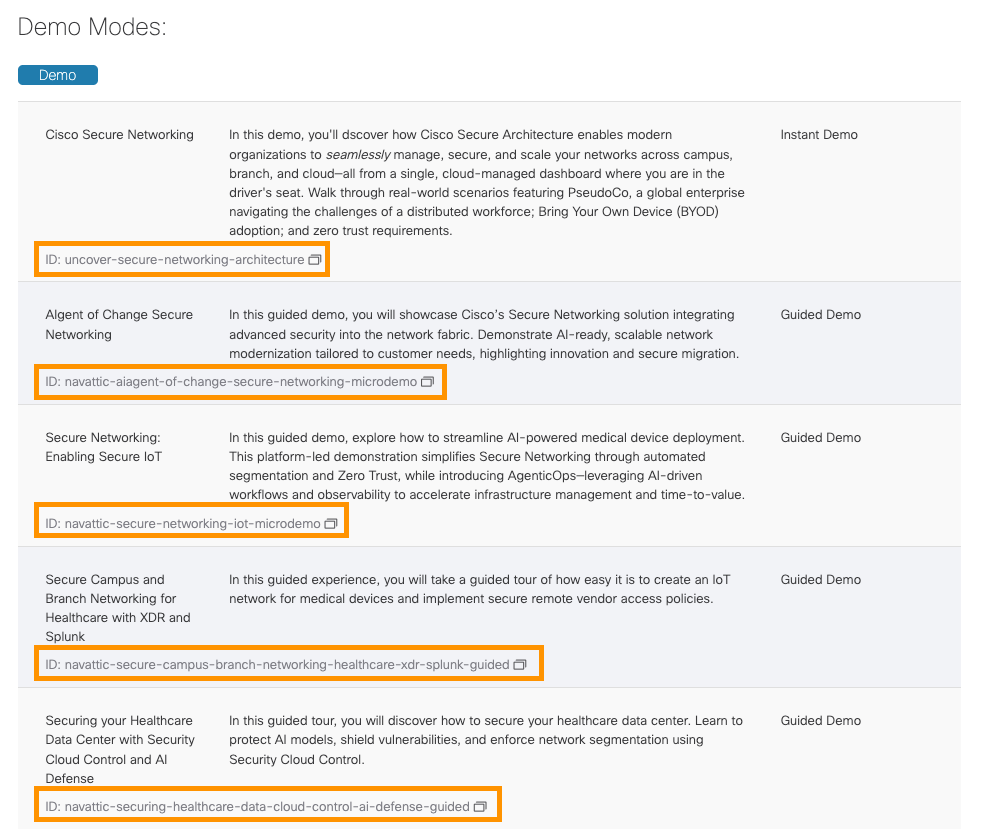
Demo Modes have been enhanced:
Cisco Internal Only
Cisco Internal Only
New On-Prem Global Catalog Feature: dCloud users can now search the entire dCloud Global catalog from any dCloud location—no need to switch between data centers to find content. This is a major usability improvement, giving users a single search with an immediate global view of availability.
Cisco Internal Only
Cisco Internal Only
This release focuses on utilities. Issues have been resolved that were preventing the following:
 Icon Library

The introduction of this new Icon library does not impact existing Topologies.
The old icons are also available, in their own tab.
Note: Moving forward, we will be fine-tuning this enhancement, to continually improve Search results.
The Diagram page functionality is enhanced for a better user experience.
Users can easily:
The dCloud Memorial Page has been updated.
For eXpo Administrators using the new Disabled DC feature:
On the Diagram View page, users can:
TB v3 users can perform these tasks in the Diagram View:
dCloud Administrators can:
Cisco Internal Only
Cisco Internal Only
Cisco Internal Only
Cisco Internal Only
Cisco Internal Only
Cisco Internal Only
Cisco Internal Only
Cisco Internal Only
Cisco Internal Only
Cisco Internal Only
Cisco Internal Only